One identity for every product in the suite
 ArodyaA medical tourism app to help you find hospitals access quicky and easily
 CRMA complete Customer Relationship System with outreach and voice
 DuggyDuggy is the all-in-one operating system for sports clubs
 Duggy AuctionsRun live player auctions with real-time bidding and team purse management.
 Duggy BookingsLet players reserve turfs, nets, and courts online in minutes.
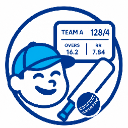 Duggy ScoreLive cricket scoring with instant scorecards and statistics
 n10Create a branded link-in-bio page to share everything with one link.
 Punya
Punya TinTorch CMSStructured content platform
 TinTorch ListBusiness directory & reviews
 TransferSecurely send large files with fast uploads, quick sharing, download links.
Everything your identity needs
A complete account platform built for a suite of products that share one universal user.
Single Sign-On
Sign in once and move freely across every TinTorch product. No separate passwords, no re-registration.
Security Center
Two-factor authentication, active session management and a full login history - all in one dashboard.
Organizations & teams
Create organizations, invite teammates and manage roles. Your context follows you across every app.
Unified billing
One billing profile and a single view of every subscription across the suite, with invoices in one place.
Connected accounts
Link Google and Telegram, or use email and password. Manage every connected identity from your profile.
Developer platform
Issue API keys, configure webhooks and build on the same identity layer that powers TinTorch.
How single sign-on works
Every TinTorch product delegates authentication to TinTorch Account. None of them store your password.
Start in any product
Open n10, Transfer, Forms, Sign or any TinTorch app and choose to sign in.
Authenticate at TinTorch Account
You're redirected to account.tintorch.com, where you sign in once with your single identity.
Return with an SSO token
You're sent back to the product, signed in, with a short-lived SSO token - no extra passwords.